
Gyroids are furniture items which appear in most Animal Crossing games. By the way, how many Gyroids are in Animal Crossing: New Horizons? Well, let us find out that answer. Here we are going to talk about Gyroids in ACNH, so you will be able to get information you need.
How Many Gyroids Are There in Animal Crossing: New Horizons?
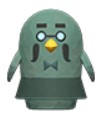
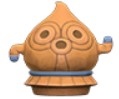
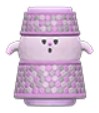
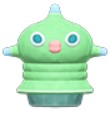
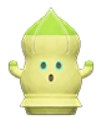
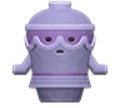
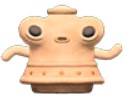
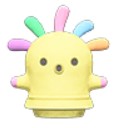
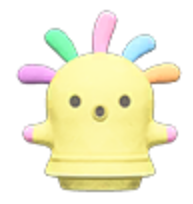
Gyroids are a type of furniture in Animal Crossing that make interesting sounds when switched on. Also, you are able to customize Gyroids into many different color variations to fit any design of your room. Gyroids come in the ACNH Version 2.0 Update. So, How many Gyroids are there in Animal Crossing: New Horizons? For your information, there are 36 types of Gyroids you are able to collect in ACNH Version 2.0.
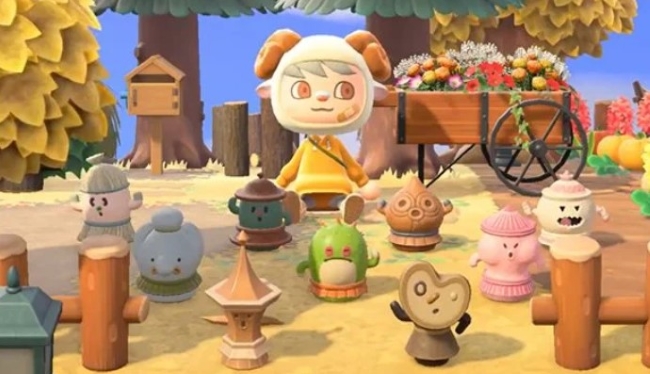
List Of All Gyroids in ACNH
As we explained above, there are 36 types of Gyroids you are able to collect in ACNH. Now, we are going to share a list of all Gyroids in Animal Crossing: New Horizons. You will be able to find how to get each of them, as well as their sound effects.
- Aluminoid

How to Get: Gyroid Fragment
Sound Effect: Unavailable - Arfoid

How to Get: Gyroid Fragment
Sound Effect: Unavailable - Babbloid

How to Get: Gyroid Fragment
Sound Effect: River Splashes - Bendoid

How to Get: Gyroid Fragment
Sound Effect: Unavailable - Bloopoid

How to Get: Whole Gyroid, Gyroid Fragment
Sound Effect: Unavailable - Boioingoid

How to Get: Gyroid Fragment
Sound Effect: Unavailable - Boomoid

How to Get: Gyroid Fragment
Sound Effect: Unavailable - Brewstoid

How to Get: Brewster
Sound Effect: Unavailable - Bubbloid

How to Get: Whole Gyroid, Gyroid Fragment
Sound Effect: Bubbles - Bwongoid

How to Get: Gyroid Fragment
Sound Effect: Bongos - Clatteroid

How to Get: Gyroid Fragment
Sound Effect: Wooden Block - Crumploid

How to Get: Gyroid Fragment
Sound Effect: Unavailable - Dootoid

How to Get: Whole Gyroid, Gyroid Fragment
Sound Effect: Unavailable - Drummoid

How to Get: Gyroid Fragment
Sound Effect: Drums - Flutteroid

How to Get: Gyroid Fragment
Sound Effect: Unavailable - Jingloid

How to Get: Gyroid Fragment
Sound Effect: Unavailable - Laseroid

How to Get: Gyroid Fragment
Sound Effect: Unavailable - Oinkoid

How to Get: Whole Gyroid, Gyroid Fragment
Sound Effect: Oink - Petaloid

How to Get: Gyroid Fragment
Sound Effect: Petals - Rattloid

How to Get: Gyroid Fragment
Sound Effect: Unavailable - Ringoid

How to Get: Whole Gyroid
Sound Effect: Unavailable - Rumbloid

How to Get: Gyroid Fragment
Sound Effect: Unavailable - Scatteroid
How to Get: Gyroid Fragment
Sound Effect: Unavailable - Spikenoid

How to Get: Gyroid Fragment
Sound Effect: Unavailable - Sproingoid

How to Get: Gyroid Fragment
Sound Effect: Unavailable - Squeakoid

How to Get: Gyroid Fragment
Sound Effect: Unavailable - Squeezoid

How to Get: Whole Gyroid
Sound Effect: Unavailable - Stelloid

How to Get: Gyroid Fragment
Sound Effect: Unavailable - Thwopoid

How to Get: Gyroid Fragment
Sound Effect: Unavailable - Tockoid

How to Get: Gyroid Fragment
Sound Effect: Wooden Block - Tremoloid

How to Get: Gyroid Fragment
Sound Effect: Unavailable - Twangoid

How to Get: Whole Gyroid, Gyroid Fragment
Sound Effect: String - Wallopoid

How to Get: Gyroid Fragment
Sound Effect: Unavailable - Whirroid

How to Get: Whole Gyroid
Sound Effect: Unavailable - Whistloid

How to Get: Gyroid Fragment
Sound Effect: Unavailable - Xylophoid

How to Get: Whole Gyroid, Gyroid Fragment
Sound Effect: Xylophone
- Aluminoid










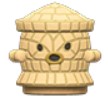
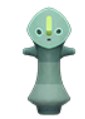


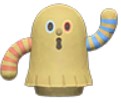


How to Get Gyroids?
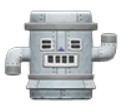
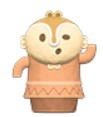
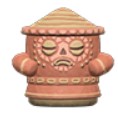
To get some cute Gyroids in Animal Crossing: New Horizons, first you need to find a special Gyroid Fragment item. These items are able to be discovered buried in the ground on your home island and on mystery islands visited using Kapp’n Boat Tours. In addition, Brewster is going to give you one as a gift when you first meet him. Aside from that, sometimes, you are able to find entire Gyroids in non-fragment form buried on your island after a day of rainfall.
How to Grow Gyroid Fragments?
After you have a Gyroid Fragment, then you have to find an empty space on your island. Please dig a hole, and bury the fragment in the ground, like planting fruit. After planting a Gyroid Fragment, it is very crucial to water it with your Watering Can to make sure that it grows. Rain on your island will suffice as well. During the next in-game day after planting and watering a Gyroid Fragment, simply you are able to return to where you buried one and dig it back up to reveal a random new Gyroid furniture item.
What to Do with Gyroids?
- Use Gyroids as Furniture
Why not show off your collection? Each of these Gyroids make unique sounds. So, using Gyroids as furniture is the best choice. - Harmonize with Music
When set next to a music player, Gyroids are going to harmonize with the song playing. You will be able to combine the sounds of multiple Gyroids to make your symphony of sound. - Customize Them
Also, you are able to customize each Gyroid to suit your style. For your information, each Gyroid comes with at least 4 color variations.
About Gyroids in Animal Crossing
Gyroids are unusual furniture items that appear in most Animal Crossing games. Though mostly furniture items, they also exist as NPCs. In the GCN games, a Gyroid is established outside the house of the player. In City Folk, a gyroid with the name Lloid acts as an auctioneer. While in New Leaf, Lloid gathers donations for Public Works Projects and loans tools to the players on Tortimer Island.
Gyroids are buried, and randomly generated each day at 6 AM. There are lots of gyroids (127 in Wild World). All are part of family gyroids, usually with similar names. If a K.K. Slider’s songs are played on a stereo, or if a player is playing an instrument quickly, then all active gyroids are going to set tempo to match the music. For your information, The word Gyroid comes from the word Gyrate or Gyre. It is a term relating to spinning.

AUTHOR BIO
On my daily job, I am a software engineer, programmer & computer technician. My passion is assembling PC hardware, studying Operating System and all things related to computers technology. I also love to make short films for YouTube as a producer. More at about me…





Leave a Reply