
To achieve peak performance as a top striker in the game, players need to develop intelligent tactics and utilize the various supporting features available. One effective way to accelerate character development is by using Blue Lock Rivals Codes, which allow players to unlock specific flows and customize their play style for optimal performance.
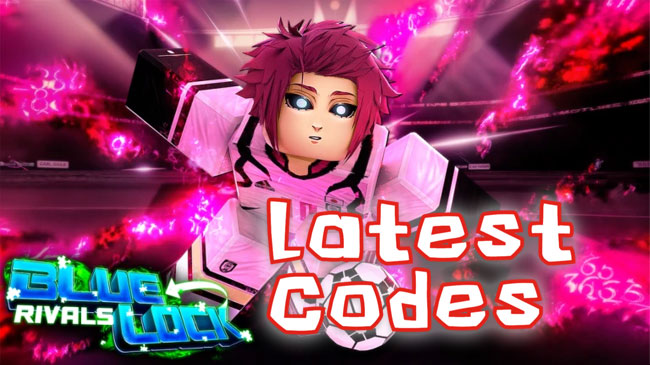
Complete List of Blue Lock Rivals Codes
It’s important to note that each code has a limited validity period. If used too late, the free reward offered will be forfeited. To ensure smooth game progress, players are also advised to study other resources, such as the Blue Lock Rivals style tier order or a guide to obtaining Igaguri flows and styles, to further refine their strategies.
Blue Lock: Rival Codes – Copy and Paste into the game, and claim the free spins:
🔥Active Codes updated in May 1, 2026
- OTOYAUPD 👉 5 Lucky Spins + 5 Lucky Flow Spins (NEW)
- NINJASPINS 👉 5 Lucky Spins (NEW)
- CHIGIRISOON 👉 5 Lucky Flow Spins (NEW)
❌Expired Blue Lock Rivals Codes
Show Expired CodesHow to Redeem Codes in Blue Lock Rivals
For Roblox players looking to earn extra rewards without much effort, redeeming Blue Lock Rivals Codes is one of the most effective ways. These codes typically contain free rewards such as boosts, items, or other bonuses that can help character development in the game.
Requirements before Redeeming Codes
Before proceeding to redeem the codes, ensure your account meets the basic requirements set by the developer:
- Join the official Blue Lock Rivals group on Roblox
- The character’s account must have reached at least Level 10
These two requirements are mandatory and are often the main reason why code redemptions fail for new players.
Redeeming Code Steps
Once all requirements are met, the process of claiming Blue Lock Rivals Codes is actually quite simple and only requires the following steps:
- Start the Blue Lock Rivals experience directly from the Roblox platform
- Enter the main in-game lobby area
- Find and press the Codes button located at the bottom of the screen
- Copy the code from a trusted source and paste it into the provided text box
- Press the Redeem button to instantly receive your reward
- Ensure the code is entered correctly as the system is very sensitive to typos.

Why Can’t I Use the Code?
Sometimes, Blue Lock Rivals Codes fail to redeem even though they appear valid. This is quite common and is usually caused by the following factors:
- Spelling errors: Capital letters, small letters, or extra spaces can make the code unreadable.
- Code has expired: Each code has a limited time to use.
- Insufficient level: The character must be at least Level 10.
- Not yet joined a group: Membership in an official Roblox group is a prerequisite.
If you’re sure the code is still active, double-check all the requirements above before trying again.
Tips for Avoiding Code Redemption Mistakes
To minimize failures when using Blue Lock Rivals Codes, it’s best to avoid typing them manually. Copying the code directly from a trusted source will reduce the risk of typos. Terms like BLR codes are also often used by the community to refer to these gift codes, so don’t be confused if you find them on forums or Discord.
How to Get the Latest Codes
To stay updated with Blue Lock Rivals Codes, you can do the following:
- Bookmark the code reference page for easy access
- Make sure to join the official server of Blue Lock Rivals Discord
- Interact with the player community to share code information
- Follow developer announcements regarding events or updates
By understanding the redemption process and information sources, you can maximize every available Blue Lock Rivals Code without any hassle.
Frequently Asked Questions
Can the codes of Blue Lock Rivals be used more than once?
Each code can only be claimed once per account. Once successfully redeemed, the code cannot be reused, even if it is still active.
Can all players redeem the code of Blue Lock Rivals?
All players can, as long as they meet the main requirements, such as joining an official Roblox group and reaching Level 10 in the game.
Why the code entered correctly but the reward is mineworking not appearing?
This can happen because the connection is unstable or the server is busy. Try exiting the game and logging back in, or check if your inventory has been updated.
How often are codes of Blue Lock Rivals updated?
New codes are usually released during updates, special events, or certain milestones from the developers. Therefore, it is recommended to regularly check official sources to avoid missing out.

AUTHOR BIO
On my daily job, I am a software engineer, programmer & computer technician. My passion is assembling PC hardware, studying Operating System and all things related to computers technology. I also love to make short films for YouTube as a producer. More at about me…


Leave a Reply